
If you've shopped for a USB rechargeable flashlight recently, you may have noticed at least a couple of options such as USB-C and the older micro-USB. If you’ve wondered what the difference between these two rechargeable flashlights is, you’re in the right place. We cover what changes between these two, how to charge either one safely, and what kind of battery life you can expect.
USB-C vs. Micro-USB: What's Actually Different
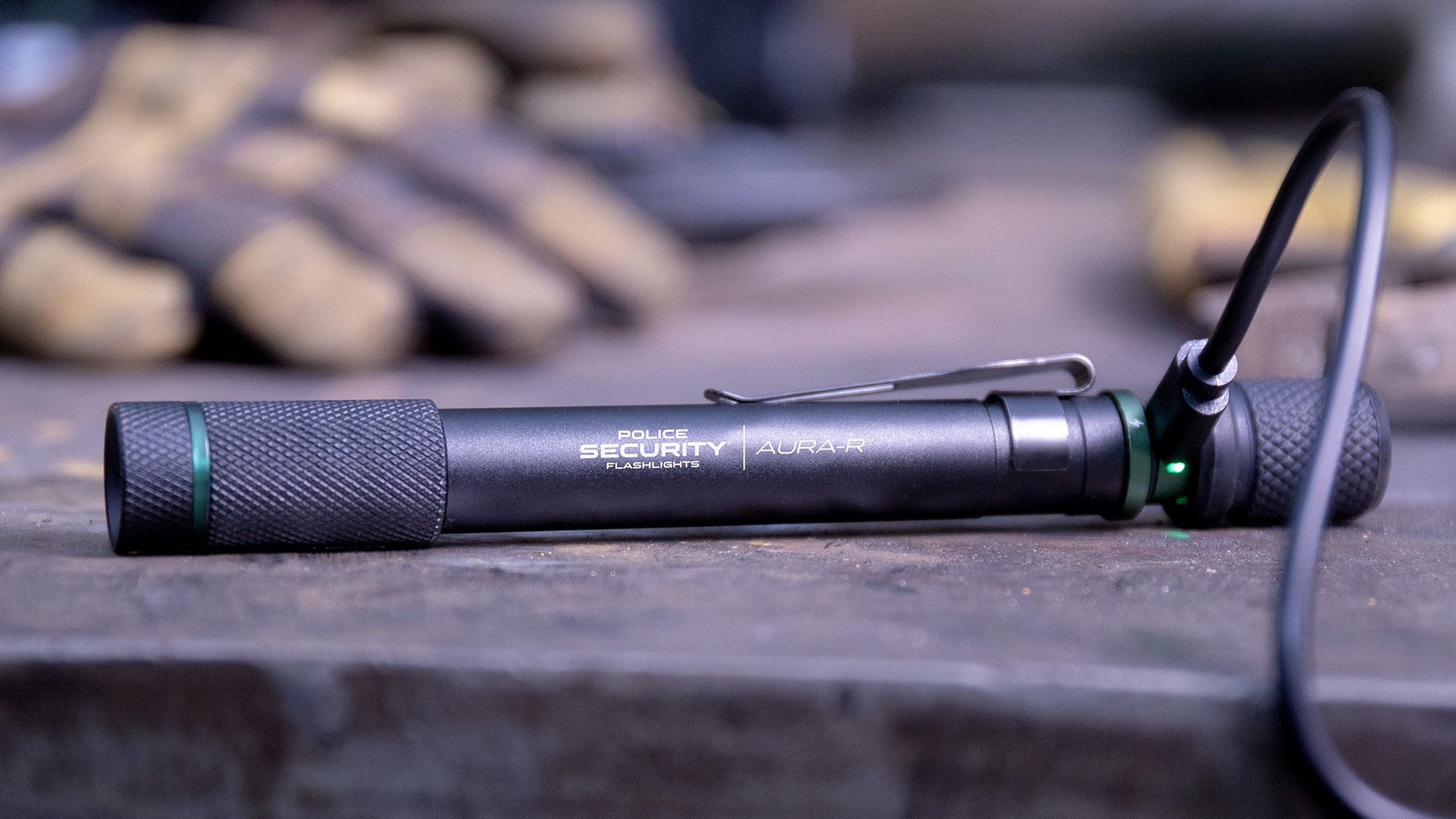
The biggest difference comes down to the plug itself. USB-C is reversible, so there's no fumbling to get it right side up. USB-C also supports faster charging speeds than micro-USB, so a USB-C flashlight generally tops off quicker. You will need an adapter that supports USB-C charging so that’s something to keep in mind. However, they’re just as easy to find as any USB-A charger.
Micro-USB isn't obsolete, plenty of reliable rechargeable flashlights still use it, and it'll charge just fine off any USB-A charger or power bank you already own. But USB-C has become the standard across phones, laptops, and most new electronics, which means it's increasingly the only cable a lot of people keep around.
Neither port changes how bright the flashlight is or how it performs once it's charged. A flashlight's lumens, beam distance, and durability all come down to the light itself. So if you already own a great micro-USB flashlight, there's no need to replace it. If you're buying new, USB-C is simply the more future-proof and convenient choice going forward.
Charging Time and Battery Life Expectations
Charge time depends on the battery size, not just the cable. A small rechargeable battery, like the ones in a keychain or penlight, might fully charge in under an hour. A larger battery powering a brighter flashlight can take two to three hours for a full charge. USB-C shaves some time off this compared to micro-USB, but the battery's capacity is still the bigger factor.
Runtime comes down to the battery and how bright a mode you're using, not the charging port. A flashlight might run for an hour or two on its brightest setting and stretch to four or more hours on low. As a rule, expect shorter runtime at higher brightness and longer runtime at lower brightness, and don't judge a flashlight's battery life by its charge time alone.
You'll often see battery capacity listed in mAh, which stands for milliamp hours, basically a measure of how much energy the battery holds. A small keychain light might run on a 150mAh battery and charge in about an hour and a half, while a full-size flashlight with a 600mAh battery can take two hours or more to charge but will run considerably longer between charges. Bigger mAh generally means longer runtime, but also a longer charge time.
Battery lifespan is a separate question from any single charge. Like the rechargeable battery in a phone, a flashlight's battery will gradually hold less charge after hundreds of charge cycles, which is normal wear. Giving it a full charge every month or two, even when you're not using it much, helps keep it in good condition and ready to go rather than sitting fully drained for long stretches.

How to Charge a USB Flashlight Safely
Charging a flashlight is low-risk, but a few habits help it last. Use the cable that came with it when you can, since cables vary in quality and a poor one can charge slower or wear out the port faster. Avoid charging in direct sunlight or somewhere hot, like a dashboard, since heat is harder on lithium batteries than the charging itself. If you notice the cord is frayed or the cable doesn't sit snugly anymore, that's worth addressing before it becomes a bigger issue. Frayed wires can cause electrical fires, give you a shock, or potentially ruin electronic devices. So if you see a frayed cord, replace it as soon as you can.
Once the flashlight is fully charged, unplugging it rather than leaving it connected indefinitely is simply a good habit, even though most modern flashlights are built to prevent overcharging.
Do USB Rechargeable Flashlights Have Overcharge Protection?
Most do. Quality rechargeable flashlights include a built-in circuit that stops drawing power once the battery is full, so leaving it plugged in overnight isn't something you need to worry about. That said, it's still smart to unplug it once it's charged rather than leaving it connected for days at a time, since minimizing unnecessary time at full charge is one of the easiest ways to extend a battery's overall lifespan.
So, Does USB-C vs Micro-USB Actually Matter?
For most people, it matters a little and is down to personal preference. If you're buying a new USB rechargeable flashlight today and don't already have a drawer full of micro-USB cables, USB-C is the easier, more convenient choice going forward and it's quickly becoming the only cable most households keep on hand. If you already own a reliable micro-USB flashlight, there's no real reason to replace it, it'll keep working just as well as it always has. It’s really just a matter whatever makes sense and is convenient for you.
Our Picks for USB-C Rechargeable Flashlights

If you're ready to make the switch to USB-C, the Zephyr-RS 550 Lumen Rechargeable Flashlight is a great everyday option. It charges over USB-C, puts out 550 lumens on high and 200 on low, and its twist focus and silent switch make it just as easy to use as it is to charge.
For something more compact, the Aura-RS Rechargeable Hands-Free Penlight charges over USB-C as well, putting out 260 lumens in a slim aluminum body that clips into a pocket or bag.

For more on choosing between rechargeable and disposable altogether, check out our Rechargeable Flashlights buying guide.
One Step Further: A Flashlight With the Cable Built In
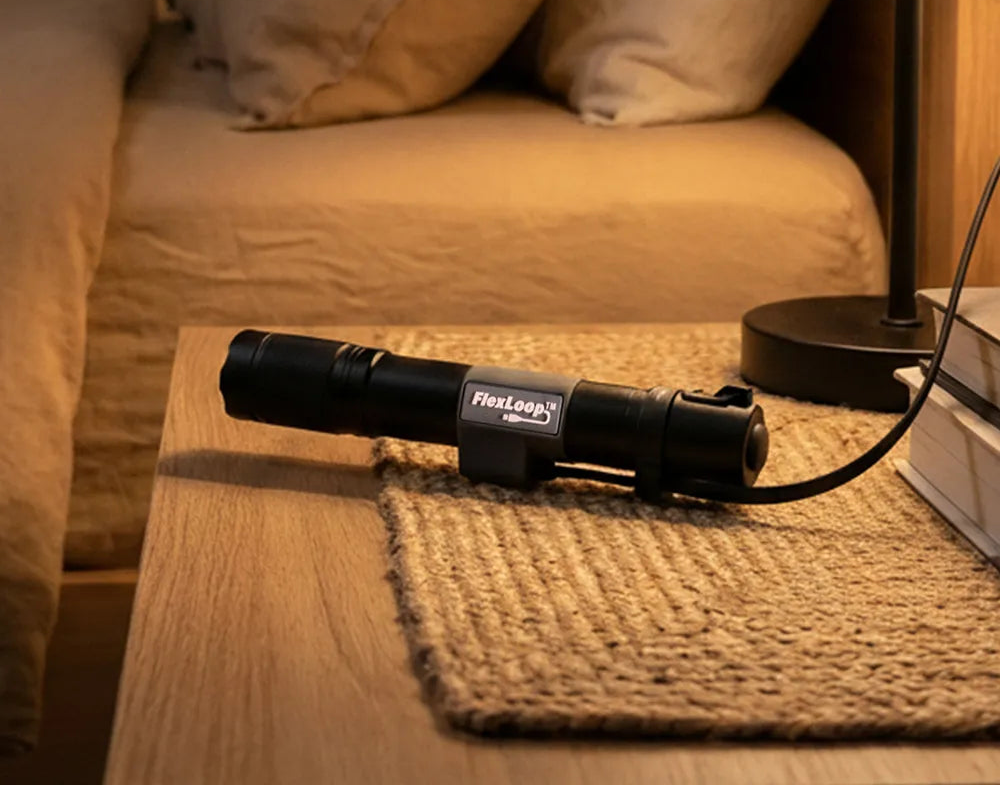
If losing or misplacing the charging cable is the real annoyance behind all of this, then you need to meet the Flexloop series flashlights. They have a built in USB-C cord that you pull out and plug in instead of needing a separate cable.
Here's one of our popular lights from the series. The FlexLoop R 550 Lumen Rechargeable Flashlight is a compact EDC rechargeable light. It still includes a standard USB-C port at the tail cap too, so a separate cable works if you'd rather use one. It puts out 550 lumens on high with a 135-meter beam and 120 lumens on low with a 7-hour runtime, and it fast charges to 50 percent in about 45 minutes. It's a nifty answer to the whole "where did the cable go" problem.

FAQ
Is USB-C better than micro-USB for a flashlight?
USB-C is faster and more convenient since the plug is reversible and pairs with the same cable you likely already use for your phone, but micro-USB flashlights work reliably too. The difference is convenience.
How long does it take to charge a USB rechargeable flashlight?
It varies by battery size, generally anywhere from under an hour for a small keychain light to two or three hours for a larger flashlight. Check the specific model's listed charge time for the most accurate estimate.
Can I leave my USB rechargeable flashlight plugged in overnight?
Most models have overcharge protection built in, so it won't damage the battery. Still, unplugging it once it's fully charged is a good habit for long-term battery health.
Will charging affect my flashlight's water resistance?
Not during normal use. The charging port is usually covered by the aluminum of the light or sealed with a rubber cover when closed, so the flashlight stays water resistant as long as the port isn’t exposed, just avoid charging it while it's wet.
What does mAh mean on a flashlight battery?
mAh stands for milliamp hours, and it's a measure of how much energy a battery holds. A higher mAh rating generally means longer runtime between charges, though it can also mean a longer charge time.